Free · Open source · Android

Your Claude & Codex limits, live on your phone.

SessionSense tracks your Claude Pro, Max and Team 5-hour session and weekly limits, including what Claude Code uses, plus Codex on ChatGPT plans. It warns you before you hit a wall and keeps the numbers on your home screen.

Android 8.0+ · MIT license · No account, servers or analytics · Updates itself

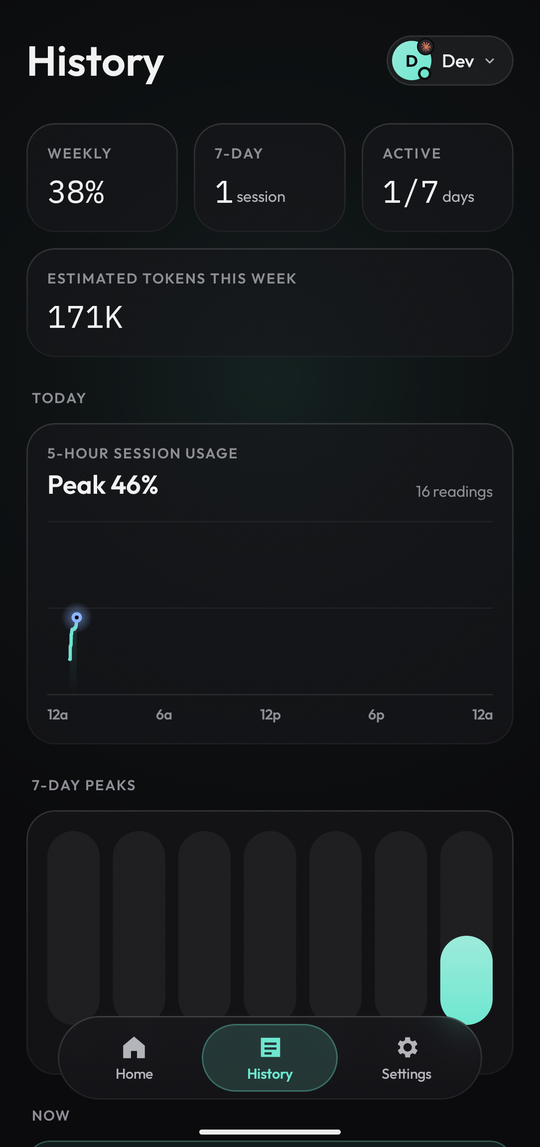
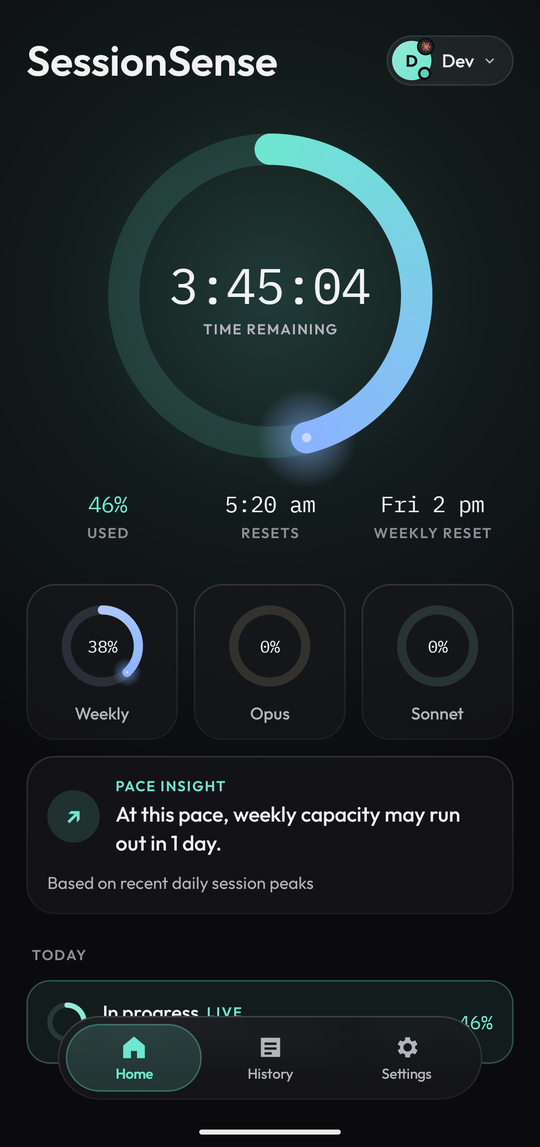
History screen: weekly stats, today's usage curve and 7-day peaks Home screen: live 5-hour session ring with time remaining, weekly, Opus and Sonnet quotas

Live liquid glass · tap a tab

What it does

Everything about your limits, at a glance.

One place for the numbers that decide whether you can keep working: how much is left, when it resets, and whether your pace will last the week.

Live 5-hour session

How much of the current window you've used and exactly when it resets, as an activity-style ring.

Weekly quotas

Weekly usage plus per-model Opus and Sonnet allowances, with a pace insight that tells you if the week will last.

Planner

See when this window would hit its limit at your pace, get pinged when a reset lands, and keep part of your weekly limit in reserve.

Alerts that respect you

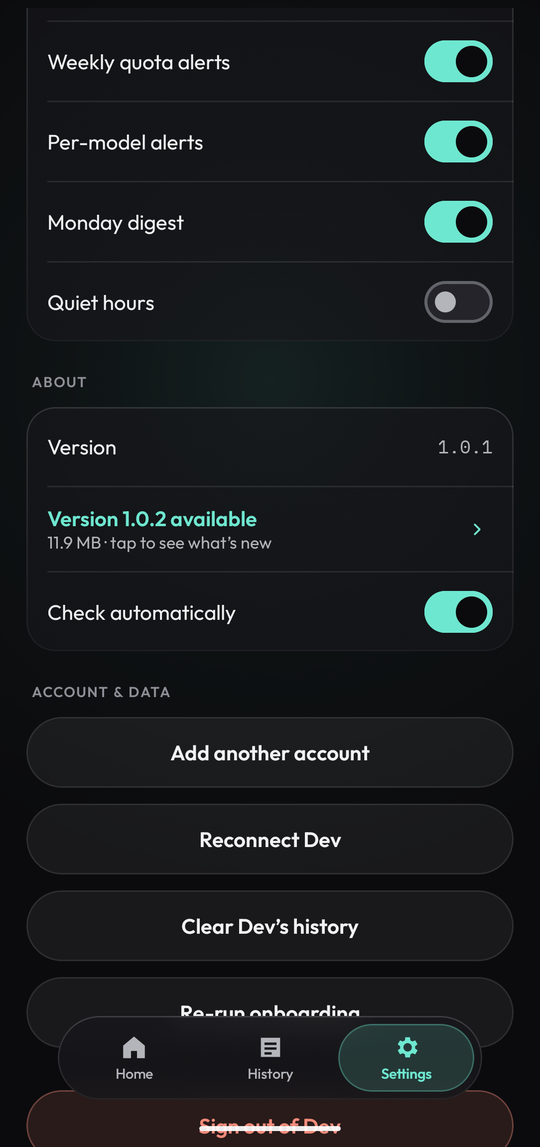
Heads-ups at 60, 30 and 10 minutes left, on reset, and when weekly quota gets tight. Quiet hours keep them silent.

History

Today's usage curve, 7-day peaks and past sessions, all stored on your phone.

Claude, Claude Code and Codex

Up to three accounts: Claude Pro, Team or Max (which Claude Code shares) and Codex on a ChatGPT plan. Switch in a tap.

Home-screen widgets

Check your limits without opening the app.

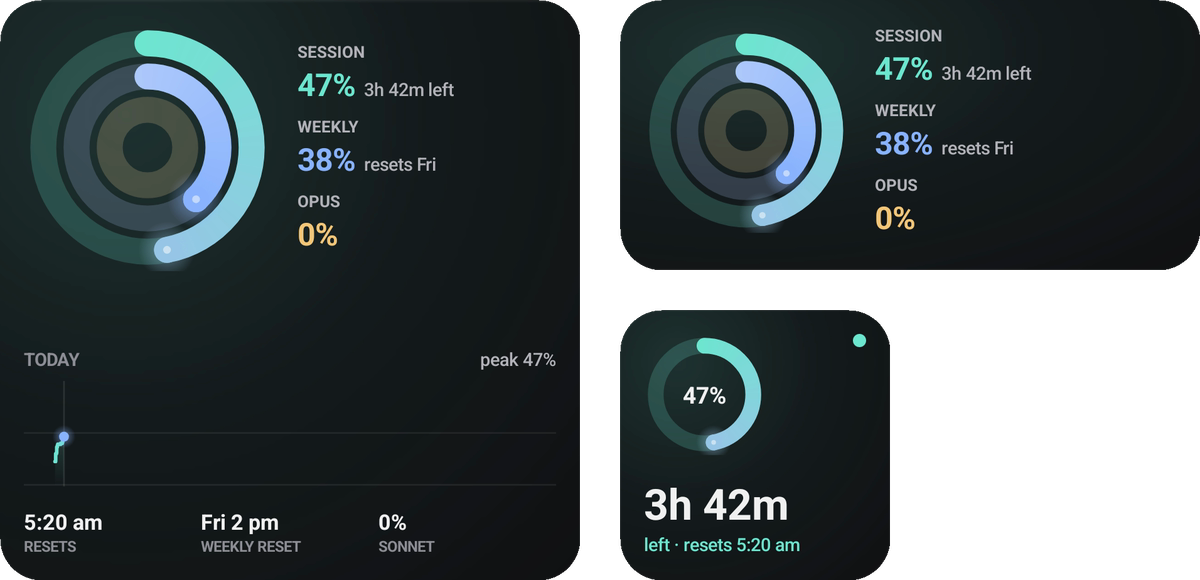
Today, Activity rings and Session ring, in three sizes. They follow the account you're viewing and refresh as usage changes.

SessionSense home-screen widgets: Today, Activity rings and Session ring
Private by design

Your sign-in never leaves your phone.

  • No password, ever. You sign in on claude.ai or chatgpt.com in an in-app browser. SessionSense only keeps the session it needs to read your usage.
  • Encrypted on device. That session is stored with the Android Keystore and goes nowhere else.
  • No servers, no analytics. The app talks to claude.ai, chatgpt.com, and GitHub for updates. Nothing else.
  • Verified updates. Every update is checked against its SHA-256 and signing certificate before Android installs it.
  • Open source. Every line is on GitHub under the MIT license.
Settings screen with alerts, quiet hours and About
Install

Set up in under a minute.

SessionSense isn't on the Play Store. You install it once from GitHub, and it updates itself after that.

  1. Download sessionsense.apk on your Android phone (Android 8.0 or newer).
  2. Open it. If Android asks, allow your browser or file manager to install unknown apps; it's a one-time OK.
  3. Sign in with Claude, and optionally ChatGPT for Codex. Allow notifications for alerts, then add a widget.

Use an app manager? Add github.com/DevxD98/sessionsense to Obtainium.

FAQ

Questions people ask.

How do I check my Claude usage limit on my phone?

Install SessionSense, sign in with your Claude account in the app, and Home shows your current 5-hour session usage, your weekly usage and when each one resets. Add a widget to see it without opening the app.

Does it track Claude Code usage?

Yes. Claude Code on a Pro or Max plan uses the same 5-hour and weekly limits as claude.ai, so SessionSense shows how much you have left whether you spend it in chat or in Claude Code.

Does it work with Codex and ChatGPT?

Yes. Add a ChatGPT account and SessionSense shows your Codex usage limits alongside Claude. You can add up to three accounts and switch between them in one tap.

When does my Claude limit reset?

Claude uses a rolling 5-hour session window plus a weekly limit. SessionSense shows the exact reset time for both, counts down to it, and can notify you when a window resets.

Is it safe? Does it see my password?

No. You sign in on the provider's own site in an in-app browser, and SessionSense never sees your password. Only the session needed to read your usage is stored, encrypted on your phone. The code is open source, so you can check.

Is there an iPhone or desktop version?

Not yet. SessionSense is Android only (Android 8.0+).

Is it official?

No. SessionSense is an independent open-source project, not made by Anthropic or OpenAI.